


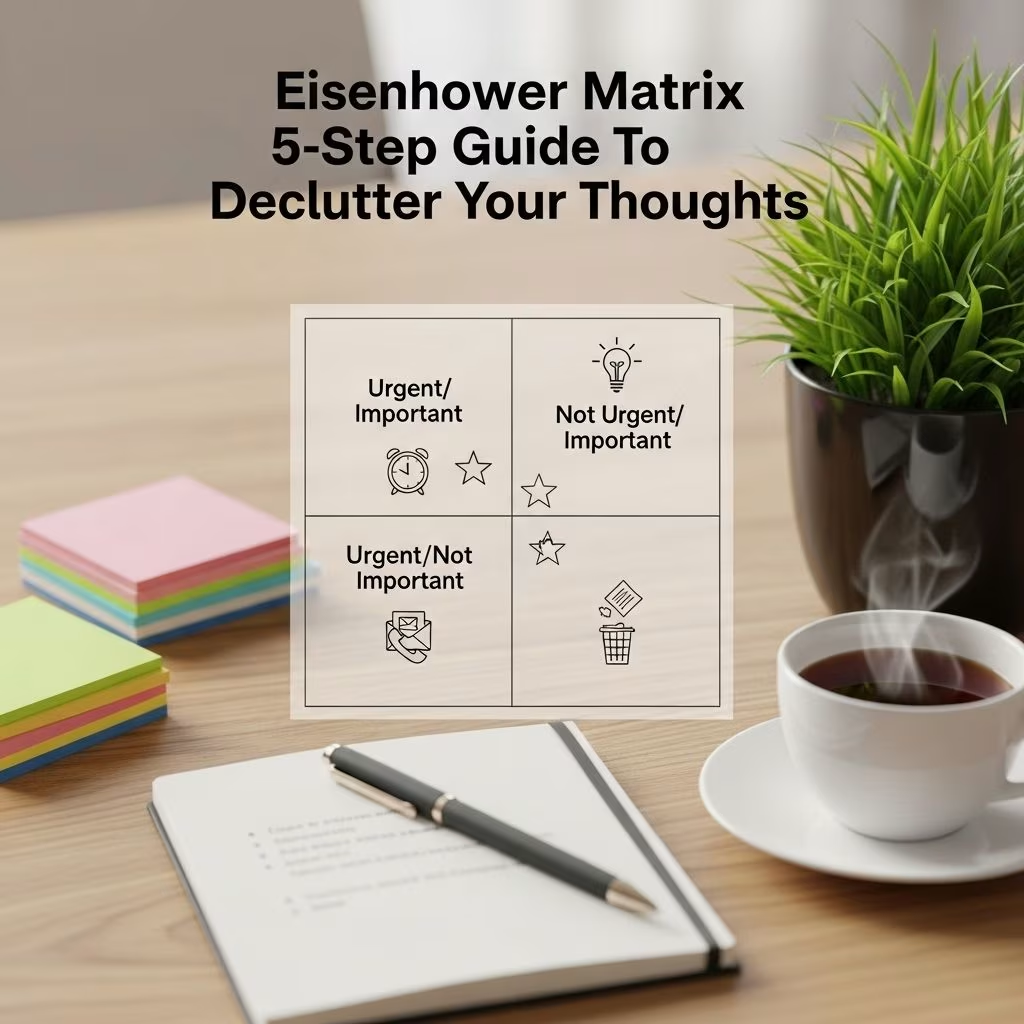
Eisenhower Matrix to Declutter Thought Prioritization
The modern world’s overwhelming influx of information, commitments, and competing priorities leads many into a constant state of mental clutter. The Eisenhower Matrix—also known as the Urgent-Important Matrix—offers a simple yet profoundly effective framework for cutting through this chaos, empowering individuals to streamline their thought process, focus attention, and prioritize tasks with purpose.
Introduction: Why Decluttering Thought is Essential
Every day, countless ideas, tasks, and worries compete for our limited attention. Decision fatigue, procrastination, and anxiety are all consequences of a mind overloaded by unprioritized thoughts. Learning to declutter your thinking—to process and prioritize what truly matters—can dramatically enhance focus, productivity, and overall well-being.
What is the Eisenhower Matrix?
The Eisenhower Matrix, or Urgent-Important Matrix, is a decision-making and time management tool that separates tasks and thoughts along two key axes: urgency and importance . By categorizing thoughts and to-dos into four distinct quadrants, it enables you to identify where to focus, what to delegate, and which distractions to discard.
| Quadrant | Description | Action |
|---|---|---|
| I – Urgent & Important | Tasks that require immediate attention and have significant consequences. | Do Immediately |
| II – Not Urgent & Important | Critical tasks for long-term goals, but not time-sensitive. | Schedule/Plan |
| III – Urgent & Not Important | Tasks that demand attention now, but contribute little to key objectives. | Delegate |
| IV – Not Urgent & Not Important | Distractions and low-value activities. | Eliminate |
This simple visual framework can be applied not only to project management and daily planning but also to mental decluttering — separating fleeting anxieties from meaningful thoughts.
History and Origins
The matrix is named after Dwight D. Eisenhower, the 34th President of the United States and Supreme Allied Commander during World War II. Eisenhower famously said, “What is important is seldom urgent, and what is urgent is seldom important.” He used such principles to make high-pressure decisions that affected millions .
Decades later, Stephen Covey brought the Eisenhower Matrix into mainstream productivity discourse via “The 7 Habits of Highly Effective People,” solidifying its place in both personal and professional time management .
The Four Quadrants of the Eisenhower Matrix
Let’s examine each quadrant and its application to decluttering thought prioritization:
- Quadrant I – Urgent and Important
Crisis management, deadlines, pressing issues. These are thoughts or tasks requiring your immediate attention–like a project due today or an overdue bill. Mental clutter often arises from perceiving everything as quadrant I, leading to chronic stress. - Quadrant II – Not Urgent but Important
Strategic planning, relationship building, personal development. These are thoughts or goals that matter most for your growth and well-being but lack immediate pressure. They represent proactive thinking and prevention. Prioritizing this quadrant is key to long-term success and mental clarity . - Quadrant III – Urgent but Not Important
Interruptions, meetings that don’t matter, minor requests. These items appear pressing but carry minimal significance to your real priorities. These interruptions are a primary source of mental and time clutter. Learning to delegate or minimize them frees significant cognitive reserve . - Quadrant IV – Not Urgent and Not Important
Trivial activities, distractions, busywork. Social media scrolling, endless email checking, or worrying about hypotheticals. These represent mental noise, draining energy and producing little value. Eliminating these helps you reclaim focus .
Benefits of Using the Eisenhower Matrix for Thought Prioritization
- Mental decluttering: Separates meaningful concerns from mere distractions, reducing cognitive overload.
- Improved focus: Directs attention to Quadrant II (important) activities for deeper, “big-picture” thinking.
- Higher productivity: Ensures urgent and important tasks are completed promptly while minimizing time lost on trivialities .
- Reduced stress: Reduces feelings of being overwhelmed by providing a clear action plan for thoughts and tasks.
- Better decision-making: Offers a visual hierarchy for evaluating and acting on mental input .
- Facilitates healthy boundaries: Enables you to say no to non-essential commitments without guilt.
Step-by-Step Guide to Using the Eisenhower Matrix for Thought Prioritization
The Eisenhower Matrix can be used on paper, whiteboards, digital tools, or even in your mind. Follow these steps to declutter your thought process and prioritize with clarity:
- Brain Dump: List all thoughts, worries, and to-dos currently on your mind. Don’t censor or organize—just capture everything.
- Categorize Thoughts: For each item, ask: “Is this urgent?” and “Is this important?” Place each in the appropriate quadrant of the matrix.
- Action Planning:
- Quadrant I: Act immediately. Limit these items by better planning (see Quadrant II).
- Quadrant II: Schedule and protect time for these high-value thoughts. This is where true growth occurs.
- Quadrant III: Delegate, automate, or limit exposure. These items often involve others’ priorities, not yours.
- Quadrant IV: Eliminate. Recognize as distractions draining your energy.
- Review Regularly: As new thoughts (or tasks) arise, re-categorize. Your priorities may shift with circumstances.
- Reflect and Adjust: After a week, assess if your mental clarity and productivity improved. Refine how you define “urgent” and “important.”
Overcoming Common Challenges in Thought Prioritization
- The Urgency Trap: Many confuse urgency for importance (“mere-urgency effect”). To avoid, consciously question each thought’s true long-term value .
- Perfectionism: Overthinkers may hesitate to categorize or take action, leading to procrastination. Imperfect action trumps inaction.
- People-Pleasing: If you habitually assess all incoming requests as urgent, strengthen boundaries by practicing delegation.
- Changing Priorities: Regular reflection helps you adapt the matrix to real-world shifts and avoid rigid thinking.
- Cognitive Overload: For thought-heavy days, consider breaking the brain dump into life areas (work, family, personal) for easier prioritization.
Practical Application Examples
Below are some scenarios illustrating how the Eisenhower Matrix clarifies mental clutter and improves prioritization:
- Workplace Scenario:
A manager facing a flood of emails, urgent calls, strategy meetings, team conflicts, and trivial interruptions.
Matrix Sorting:
- Quadrant I: Customer complaints needing resolution today.
- Quadrant II: Developing next quarter’s strategic plan.
- Quadrant III: Attending a non-critical meeting (delegate to team member).
- Quadrant IV: Chatting on social media during work hours.
- Personal Life Scenario:
A parent juggling school runs, a health scare, planning a family vacation, and TV binge-watching.
Matrix Sorting:
- Quadrant I: Caring for a sick child.
- Quadrant II: Planning nutritious family meals for the week.
- Quadrant III: Replying to a non-urgent PTA request (delegate or reply later).
- Quadrant IV: Idle TV watching to “kill time.”
- Mental Health Scenario:
Overwhelmed by feelings, reminders, and obligations.
Matrix Sorting:
- Quadrant I: Call therapist about overwhelming anxiety attacks.
- Quadrant II: Establish a daily mindfulness or journaling practice.
- Quadrant III: Respond to casual group chat notifications.
- Quadrant IV: Ruminating about hypothetical worst-case scenarios.
Eisenhower Matrix and Mental Clutter
Cluttered thinking arises from unfiltered input: worries, obligations, and stray ideas bouncing through your brain. By externalizing these onto a matrix, you disentangle urgency from importance, providing much-needed perspective.
- Reduces cognitive overload by placing low-priority or unimportant thoughts out of main focus.
- Facilitates mindful attention on fewer, value-aligned tasks or worries at a time.
- Improves emotional resilience by eliminating “shoulds” and focusing on what truly matters.
Tips for Effective Thought Prioritization
- Define clear criteria for what is “important” to you. Use values and long-term goals as benchmarks.
- Practice saying no to non-essential commitments or distractions. Protect time for meaningful activities.
- Regularly review your matrix to catch shifting priorities before they become stressors.
- Utilize digital tools or sticky notes for a portable matrix—especially for tracking intrusive thoughts on the move.
- Involve others for tasks in Quadrant III; delegation fosters collaboration and decreases your personal burden.
- Reflect often: Build a habit of ending your day or week by updating your matrix, tying it to journaling for deeper insight.
Frequently Asked Questions (FAQs)
Q: How does the Eisenhower Matrix differ from a regular to-do list?
A: Unlike basic to-do lists, the Eisenhower Matrix organizes tasks by both urgency and importance, helping you focus on high-impact actions rather than just what’s next chronologically.
Q: Can the Eisenhower Matrix be adapted for mental health and daily thought management?
A: Yes. By listing recurring worries or intrusive thoughts, you can categorize and decide which deserve attention, which can be scheduled for later, and which to let go altogether.
Q: How often should I update my Eisenhower Matrix?
A: For best results, review and update it daily or weekly, and whenever new priorities emerge or your mental clutter increases.
Q: What are common mistakes to avoid?
A: Avoid placing every thought or task in the “urgent” category, neglecting Quadrant II (important but not urgent), and failing to delegate or eliminate low-value actions.
Q: Are there digital tools for the Eisenhower Matrix?
A: Many productivity apps and templates exist to help you implement the Eisenhower Matrix digitally for easy access and regular review. You can also draw it on paper or use sticky notes for physical interaction.
References
- https://thedecisionlab.com/reference-guide/management/the-eisenhower-matrix
- https://www.collaboard.app/en/blog/eisenhower-matrix
- https://kainramsay.com/resources/dwight-eisenhowers-decision-making-matrix/
- https://www.productplan.com/glossary/eisenhower-matrix/
- https://big-agile.com/blog/eisenhower-decision-matrix-the-4ds
- https://www.eisenhower.me/eisenhower-matrix/
- https://academicsuccess.ucf.edu/sarc/wp-content/uploads/sites/31/2020/12/Eisenhower-Matrix-Fillable.pdf
- https://slab.com/blog/eisenhower-matrix/
- https://www.todoist.com/productivity-methods/eisenhower-matrix


