


How to Delete Your 23andMe Data: Protecting Your DNA and Your Privacy
With growing concerns about personal privacy and recent news surrounding 23andMe’s bankruptcy and possible sale, many customers are asking crucial questions: How can you delete your data from 23andMe? What does deletion mean for your genetic information, and will your data still be used for research? This guide covers everything you need to know about removing your DNA data from 23andMe, destroying your sample, and managing your research consents. Learn why these steps matter and how to complete them thoroughly and securely.
Why Delete Your 23andMe Data?
When you use a service like 23andMe, you entrust the company with highly sensitive genetic information and personal details. Recent events—such as 23andMe’s bankruptcy filing and plans for a sale—have heightened concerns about what happens to your DNA data if ownership changes hands. Although the company claims it will continue to comply with privacy laws and keep your data secure, many customers are choosing to proactively remove their data for maximum control.
- Genetic data is uniquely identifiable. Unlike other identifiers, your DNA cannot be changed or reissued.
- Some data may be used for research. Depending on your consent, your anonymized DNA data may contribute to ongoing studies or be shared with third parties.
- You have rights under privacy laws. Regulations afford you control over your data—including the right to request its deletion.
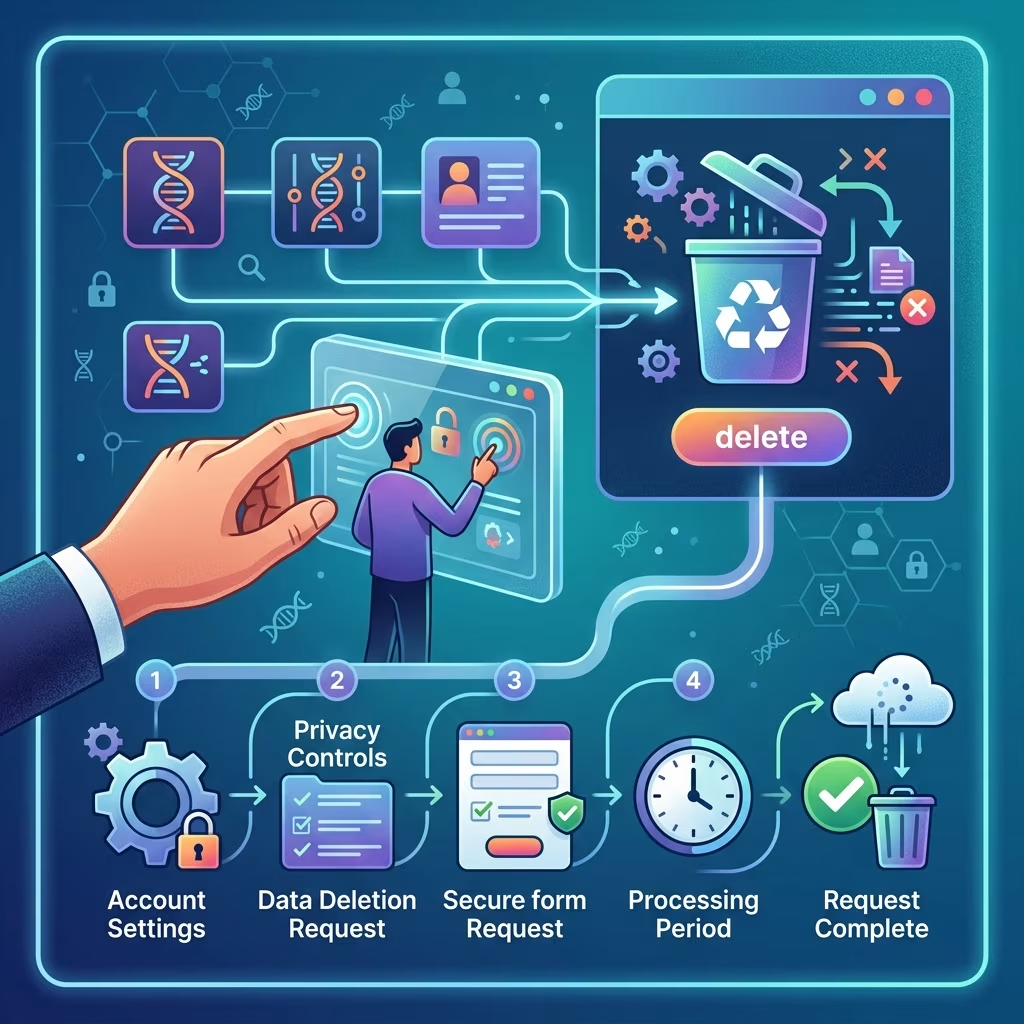
Step-by-Step: How to Delete Your 23andMe Data and Account
Deleting your 23andMe data is a multi-step process. Below is a detailed guide to make sure you do not miss any crucial part of the account and data removal process:
- Sign in to Your 23andMe Account
Go to 23andme.com and use your credentials to log in. If you have multiple profiles connected to your account, each must be closed and deleted separately.
- Navigate to Account Settings
Click your profile picture or initials in the top right corner. From the dropdown menu, select Settings to access your account management page.
- Find the Data and Privacy Options
Within account settings, look for sections titled “Privacy,” “Data,” or “Account.” The precise location may change, but search for options related to “Delete Account,” “Close Account,” or “Manage Personal Information.”
- Review the Data Deletion Policies
- Carefully read 23andMe’s current data deletion policies—know what will and will not be removed when you proceed.
- Understand that once deleted, your genetic information, account records, and test results will be lost and cannot be restored.
- Initiate Your Deletion Request
Select the option to delete or close your account permanently. You will need to verify your identity by re-entering your password and following any additional security prompts.
- Confirm Deletion via Email
23andMe will send a confirmation email to finalize your deletion request. You must follow all instructions in this email for your data to be fully deleted.
- Request Destruction of Your Physical Saliva Sample (Optional)
- If you previously consented to long-term storage of your saliva sample, return to account settings and update your preferences to request destruction of the sample.
- If you did not consent to storage, your genetic material is automatically destroyed after initial analysis.
- Contact Customer Support If You Need Help
If you have trouble completing any part of the process, email customercare@23andme.com or use the online Contact form for assistance.
How to Download Your 23andMe Data Before Deleting
Once your account is deleted, all access to your genetic reports and raw data will be lost permanently. If you want a copy of your results, follow these steps before you initiate deletion:
- Access Your Raw Data: In your account dashboard, find the option to download raw DNA data and reports. This is typically located under “Settings” or “23andMe Data.”
- Save Personal Information: Download ancestry reports, health predispositions, and any other records manually, as desired.
- Organize Your Files: Store the files securely on your device or cloud storage, as you will not be able to restore them after deletion.
Managing Research Consent and Sample Storage
Many 23andMe customers choose to participate in research projects by granting permission for their genetic data or saliva sample to be used by scientists and commercial partners. You can manage or revoke these consents at any time, but it’s important to know what this does and does not change:
- To Withdraw Research Consent: In your Account Settings, navigate to Research and Product Consents or a similar section. Withdraw consent for future research by unchecking or updating the appropriate box.
- Limitations: Any studies already using your data or sample cannot remove it retrospectively. Your data will not be used in future research, but data already analyzed remains part of completed studies.
“Data cannot be removed from research that’s already been conducted. Customers can view the publications to which their data has contributed from within their 23andMe account.” - Sample Destruction: Change your sample storage preferences in account settings to request destruction, or confirm that it was not stored (if you did not consent originally).
- Law Requirements: Be aware: for regulatory reasons, 23andMe and their labs may retain some limited information (such as date of birth, sex, or meta records regarding data destruction) as required by law.
What Happens After Deleting Your Data?
Account deletion is permanent. Once your request is confirmed and processed:
- All personal and genetic information in your account will be erased from active user databases.
- Your login and all connected profiles are inaccessible and permanently closed.
- If you withdrew research consent, your data will not be included in future scientific studies.
- Any remaining DNA samples you asked to be destroyed will be disposed of according to your updated preferences.
- Some minimal information (such as proof of deletion) may be retained as required by law.
Be sure to keep all confirmation emails and reference numbers in case you need to follow up with support about the status of your deletion request.
Getting Help: Contacting 23andMe Support
If you run into technical issues or have additional privacy concerns, you can reach out:
- Email: customercare@23andme.com
- Use the website’s online contact form, found in the Help Center or under Account Settings.
- For urgent concerns, search for up-to-date phone numbers or live chat in your region.
Frequently Asked Questions (FAQs)
Q: Does deleting my 23andMe account remove all my DNA information?
A: Deleting your account permanently removes your data from active user databases. However, if you consented to research, your data cannot be pulled from studies already in progress or completed; it will, however, be excluded from any future projects.
Q: Can I restore my 23andMe account after deletion?
A: No. Once your account is deleted, it cannot be recovered. Download all information you wish to save before completing the process.
Q: Will my saliva sample be destroyed after deletion?
A: If you did not consent to sample storage, your sample was already destroyed after testing. If you did consent, update your preferences in account settings or request destruction when closing your account.
Q: Will 23andMe, labs, or any third parties keep any information about me?
A: Minimal information (such as records of your deletion request or legally required demographics) may be retained, but personal genetic and account data will be removed from accessible databases.
Q: How do I withdraw permission for research if I change my mind?
A: Visit Account Settings > Research Consent, then withdraw or update your preferences. This action stops your data from being used in future studies, though it will remain in past research where already analyzed.
Q: Is there an easier way to request deletion from multiple genetic testing companies?
A: Consumer protection tools like Permission Slip (by Consumer Reports) allow users to request deletion of their genetic data from 23andMe and some competitors, streamlining the process if you used more than one service.
Best Practices for Genetic Data Privacy
- Read all terms and privacy statements before submitting a DNA sample or deleting your data.
- Download copies of your DNA data/reports prior to account closure if you want to retain your personal health or ancestry information.
- Regularly review your privacy and research consents to ensure they match your current wishes.
- Check for updated 23andMe privacy policies, especially during times of company transition or sale.
- Consider using additional privacy tools to monitor and control the use of your data on other platforms.
Key Points: What You Need to Know
- Deleting your 23andMe account is permanent and cannot be undone.
- If you participated in research, your data will not be removed from completed research but is excluded from future studies.
- Sample destruction must be requested if you consented to long-term storage.
- Minimal records (for example, proof of deletion) may be kept for legal compliance.
- Reach out to 23andMe support for further assistance or any technical issues.
Additional Resources
- 23andMe Official Privacy Statement and Data Deletion policies
- Consumer Reports: Best practices for genetic data privacy and account deletion
- Federal Trade Commission: Genetic Data Privacy Rights
Stay vigilant and informed: DNA data is a lifelong identifier. Deleting your data now gives you the greatest control as company policies and ownership evolve.
References
- https://www.medicaleconomics.com/view/23andme-how-to-delete-your-genetic-data
- https://www.consumerreports.org/health/health-privacy/how-to-delete-genetic-data-from-23andme-ancrestry-other-sites-a3585380508/
- https://www.goodmorningamerica.com/news/story/23andme-data-delete-120135468
- https://www.youtube.com/watch?v=WbpwWHV6xms
- https://www.goodhousekeeping.com/health/a64287792/how-to-delete-23andme-data/
- https://www.aol.com/worried-23andme-data-delete-120000597.html


