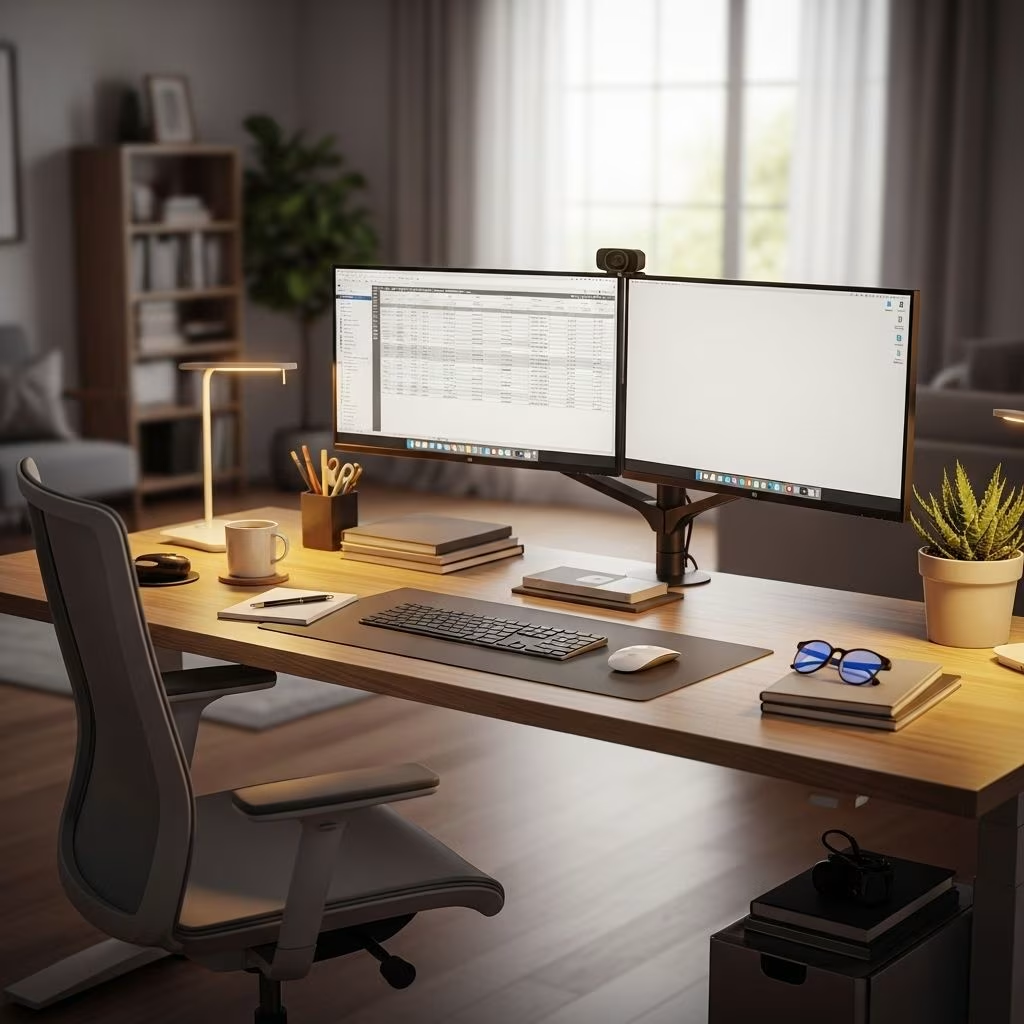
Creating an effective home office starts with selecting the right desk. Whether you’re working remotely full-time, running a business from home, or simply need a dedicated space for personal projects, your desk serves as the foundation of your productivity. The modern home office desk market offers an impressive range of options, from height-adjustable standing desks to space-saving compact designs, each engineered to meet specific needs and work styles.
The right desk does more than just hold your computer—it supports your posture, organizes your workflow, and creates an environment where you can focus and thrive. With remote work becoming increasingly permanent for millions of professionals, investing in quality home office furniture has shifted from luxury to necessity. This comprehensive guide explores the best desk options available, helping you understand the features, benefits, and trade-offs of each type so you can make an informed decision that enhances both your comfort and productivity.
Understanding Different Types of Home Office Desks
The home office desk landscape has evolved significantly, offering specialized solutions for various work styles and spatial constraints. Understanding the fundamental differences between desk types allows you to align your choice with your daily workflow, physical needs, and available space. Each category brings distinct advantages and limitations that directly impact your work experience.
Modern desks fall into several primary categories, each designed with specific user profiles in mind. Electric standing desks prioritize health and ergonomic flexibility, allowing seamless transitions between sitting and standing positions throughout the day. Fixed-height ergonomic desks emphasize stability and traditional workspace organization, offering reliable surfaces for intensive computer work. Compact writing desks maximize efficiency in limited spaces, perfect for laptop-focused tasks in smaller homes or apartments. L-shaped corner desks provide expansive work surfaces for multitasking professionals who need separate zones for different activities.
Electric Standing Desks: The Health-Conscious Choice
Electric standing desks have revolutionized home office ergonomics by addressing the health concerns associated with prolonged sitting. These adjustable workstations feature motorized mechanisms that allow users to effortlessly switch between sitting and standing positions, promoting better circulation, reducing back pain, and increasing energy levels throughout the workday. The investment in a quality standing desk pays dividends in improved physical well-being and sustained focus.
The adjustability of electric standing desks represents their most significant advantage. With programmable height presets, you can save your preferred sitting and standing positions, enabling quick transitions without manual measurement. This feature proves particularly valuable during video calls, intensive typing sessions, or moments when you need a physical reset to maintain concentration. The ability to change positions regularly helps counteract the negative effects of sedentary work, which research has linked to various health issues including cardiovascular problems and musculoskeletal disorders.
However, electric standing desks do come with considerations. They typically occupy a moderate footprint and require access to power outlets for the motorized mechanism. Stability can vary between models, with some experiencing minor wobbling at maximum height, particularly when typing vigorously. Price points range from mid to high-tier, reflecting the engineering required for smooth, reliable height adjustment. When selecting an electric standing desk, prioritize models with solid construction, quiet motors, and weight capacities that accommodate your equipment setup including monitors, keyboards, and other peripherals.
Fixed-Height Ergonomic Desks: Traditional Stability
Fixed-height ergonomic desks represent the classic approach to home office furniture, offering exceptional stability and straightforward functionality. These desks are engineered to maintain a consistent working surface at an optimal height, typically around 29 to 30 inches, which accommodates most users when paired with an adjustable chair. Their solid construction eliminates concerns about mechanical failures or height adjustment complications.
The primary strength of fixed-height desks lies in their unwavering stability. Without moving parts or adjustment mechanisms, these desks provide rock-solid surfaces that remain perfectly steady during typing, writing, or any activity requiring precision. This stability makes them ideal for professionals working with sensitive equipment, artists creating detailed work, or anyone who values a completely vibration-free workspace. The simpler construction also translates to lower price points, making quality ergonomic desks accessible across various budget ranges.
Material choices in fixed-height desks span from engineered wood and laminate to solid hardwoods and metal frames, each offering different aesthetic appeals and durability profiles. Many models incorporate built-in storage solutions including drawers, shelves, and cable management systems that help maintain an organized workspace. The moderate to large surface areas typical of these desks accommodate multiple monitors, documents, and office supplies without feeling cramped.
Compact Writing Desks: Maximizing Minimal Spaces
Compact writing desks solve the challenge of creating functional workspaces in limited square footage. These streamlined designs emphasize space efficiency without completely sacrificing utility, making them perfect for urban apartments, shared rooms, or any environment where a full-sized desk would overwhelm the available area. Their smaller footprints and often elegant designs allow them to blend seamlessly with existing home decor.
The minimalist approach of compact desks works exceptionally well for laptop-centric workflows. If your primary tool is a single laptop and you rarely need extensive surface area for paperwork or multiple devices, a compact desk provides exactly what you need without unnecessary bulk. Many models feature lightweight construction that facilitates easy repositioning, allowing you to reconfigure your space as needs change. Some designs incorporate clever storage solutions like small drawers or shelves that maximize utility within the constrained dimensions.
The inevitable trade-off with compact desks is limited working surface. Users who require multiple monitors, specialized equipment, or spread-out workspace for creative projects will find these desks restrictive. They work best for focused, digital-first tasks where all necessary tools fit within a small area. Students, freelancers with minimal equipment needs, and remote workers who primarily attend virtual meetings and complete computer-based tasks will find compact desks perfectly adequate. When space is at a premium and your work style supports a streamlined setup, these desks deliver remarkable value.
L-Shaped Corner Desks: The Multitasker’s Paradise
L-shaped corner desks provide the most generous work surface of any standard desk configuration, creating distinct zones for different activities within a single workstation. This expansive design appeals to professionals who juggle multiple projects simultaneously, require separate areas for computer work and paperwork, or simply appreciate having abundant space to spread out. The corner placement makes efficient use of areas that might otherwise remain underutilized.
The dual-surface configuration of L-shaped desks enables true workspace compartmentalization. You might dedicate one side to your primary computer setup with monitors and keyboard, while using the perpendicular surface for reference materials, a printer, creative projects, or a secondary laptop. This separation helps maintain organization and allows you to switch between tasks without constantly rearranging your desk. The psychological benefit of having dedicated zones for different work types can significantly enhance focus and productivity.
The substantial size of L-shaped desks demands careful space planning. These configurations work best in dedicated home offices or larger rooms where the desk won’t dominate the entire space. Assembly can be more complex than straightforward rectangular desks, and cable management requires additional attention given the multiple work zones. The investment in an L-shaped desk represents a significant commitment to your home office setup, both financially and spatially. If your employer offers work-from-home stipends or equipment allowances, an L-shaped desk might qualify as a valuable upgrade that improves your daily work experience.
Key Features to Consider When Selecting Your Desk
Beyond the basic desk type, specific features dramatically impact daily usability and long-term satisfaction. Identifying which characteristics matter most for your particular workflow ensures your investment delivers maximum value. These considerations span practical functionality, ergonomic support, and quality construction that withstands years of regular use.
Adjustability extends beyond height-adjustable desks to include modular components, removable sections, and customizable configurations. Desks offering flexibility adapt as your needs evolve, accommodating new equipment, different work styles, or spatial changes. Even fixed-height desks can provide adjustability through features like movable keyboard trays, monitor arms, or reconfigurable storage units.
Surface area directly affects your ability to work comfortably with all necessary equipment. Measure your current setup including monitors, keyboards, notebooks, and any specialized tools to determine minimum dimensions. Remember to account for adequate clearance around items and comfortable elbow room. Insufficient surface area creates constant frustration as you shuffle items to find working space.
Stability becomes increasingly important for heavier equipment loads or vigorous typing. Test desks for wobbling, particularly if considering standing desks at maximum height. Quality construction with properly engineered joints and adequate material thickness prevents annoying movement that disrupts concentration and potentially damages equipment.
Cable management systems transform chaotic wire tangles into organized, accessible setups. Look for desks with integrated cable trays, grommets, or channels that route wires cleanly from desktop to floor. Effective cable management simplifies equipment changes, reduces visual clutter, and protects cables from damage.
Storage solutions integrated into desk designs eliminate the need for additional furniture. Drawers, shelves, and cabinets provide convenient access to frequently used items while keeping surfaces clear. Consider what you need to store regularly—office supplies, documents, tech accessories—and ensure your chosen desk accommodates those items.
Comparing Popular Desk Options
Understanding how different desk types stack up across critical dimensions helps clarify which option best matches your priorities. The following comparison examines key performance characteristics to guide your decision-making process.
| Feature | Electric Standing Desk | Fixed-Height Ergonomic Desk | Compact Writing Desk | L-Shaped Corner Desk |
|---|---|---|---|---|
| Adjustability | Excellent | None | None | None |
| Stability | Good to Very Good | Excellent | Good | Very Good to Excellent |
| Surface Area | Moderate | Moderate to Large | Small | Excellent |
| Footprint | Moderate | Moderate | Small | Large |
| Price Range | Mid to High | Low to Mid | Low | Mid to High |
This comparison reveals the fundamental trade-offs inherent in desk selection. Electric standing desks excel in health benefits and ergonomic flexibility but command higher prices and moderate space requirements. Fixed-height ergonomic desks deliver unmatched stability and value for traditional work styles. Compact desks sacrifice surface area for space efficiency and affordability. L-shaped desks provide maximum workspace but demand substantial room and investment.
Material Considerations and Durability
The materials comprising your desk determine its longevity, aesthetic appeal, and maintenance requirements. Different materials offer distinct advantages depending on your priorities around durability, appearance, and budget. Understanding these differences helps you select a desk that maintains its functionality and appearance throughout years of daily use.
Solid wood desks represent traditional craftsmanship and exceptional durability. Hardwoods like oak, maple, and walnut develop character over time while withstanding heavy use. These desks typically command premium prices but offer timeless aesthetics and potential heirloom quality. Solid wood requires periodic maintenance including conditioning to prevent drying and cracking.
Engineered wood and laminate provide cost-effective alternatives with impressive durability for everyday use. Modern manufacturing techniques create surfaces resistant to scratches, stains, and moisture while offering diverse finish options. These materials keep costs manageable without sacrificing functionality, making them popular for budget-conscious setups.
Metal frames paired with various desktop materials create contemporary designs emphasizing strength and industrial aesthetics. Steel or aluminum frames provide exceptional stability and weight capacity, ideal for heavy equipment loads. Powder-coated finishes resist corrosion and maintain appearance with minimal maintenance.
Glass surfaces deliver sleek, modern appearances that complement contemporary decor. Tempered glass provides adequate durability for typical office use while creating visual spaciousness. However, glass requires frequent cleaning to maintain appearance and may show fingerprints or smudges prominently.
Budget-Friendly Desk Solutions
Creating an effective home office doesn’t require extravagant spending. Numerous desk options deliver solid functionality, ergonomic basics, and acceptable durability at accessible price points. Budget-friendly desks often feature streamlined designs that focus resources on essential performance rather than premium materials or advanced features.
Simple fixed-height desks with basic storage represent excellent entry-level options. These models typically use engineered wood or laminate surfaces over straightforward metal or wood frames, providing stable work surfaces without unnecessary complexity. Many include a drawer or two for essential storage while maintaining low production costs. Assembly is usually straightforward with clearly illustrated instructions and included hardware.
When shopping for budget desks, prioritize structural integrity over aesthetic refinement. Check weight capacity specifications to ensure the desk supports your equipment load. Read reviews focusing on stability, assembly ease, and durability over months of use. Even affordable desks should provide several years of reliable service with reasonable care. Avoid the absolute cheapest options that use excessively thin materials or flimsy construction—these false economies lead to premature replacement and frustration.
Ergonomic Principles for Desk Setup
Selecting the right desk represents only half the ergonomic equation. Proper setup and positioning optimize comfort and prevent repetitive strain injuries that develop from sustained poor posture. Understanding basic ergonomic principles ensures your desk investment translates into genuine health benefits and sustained productivity.
Your monitor should sit at arm’s length distance with the top of the screen at or slightly below eye level. This positioning prevents neck strain from looking up or down for extended periods. If using a laptop as your primary display, invest in a separate keyboard and mouse so you can elevate the screen appropriately. Dual monitor setups work best when arranged in a gentle arc, allowing you to shift focus between screens with minimal neck rotation.
Keyboard and mouse placement should allow your arms to rest at approximately 90-degree angles with shoulders relaxed. Wrists should remain neutral, neither flexed upward nor bent downward, during typing. Consider keyboard trays that position input devices slightly below desktop height if your desk surface places them too high. Mouse positioning directly beside your keyboard prevents reaching that stresses shoulder muscles.
Proper seating complements desk ergonomics. Your chair height should position your feet flat on the floor with thighs roughly parallel to the ground. Lumbar support maintains the natural curve of your lower spine, preventing slouching that contributes to back pain. Armrests should support your forearms without elevating your shoulders or forcing your arms outward unnaturally.
Maximizing Small Spaces
Limited square footage challenges home office planning but doesn’t preclude effective workspace creation. Strategic desk selection combined with thoughtful arrangement maximizes functionality within spatial constraints. Small-space solutions emphasize vertical storage, multi-purpose furniture, and careful equipment selection that prioritizes essentials.
Compact writing desks or wall-mounted floating desks work exceptionally well in tight quarters. Floating desks attach directly to walls, eliminating leg assemblies that consume floor space while providing adequate surface for laptop work. When not in use, some models fold flush against walls, reclaiming space for other activities. Corner placements capitalize on areas that might otherwise remain unused, fitting functional workspaces into surprisingly compact footprints.
Vertical storage solutions compensate for limited desk surface area. Wall-mounted shelves, pegboards, or overhead cabinets keep supplies accessible without cluttering your workspace. Under-desk storage carts or rolling file cabinets provide mobile organization that tucks beneath your desk when not needed. This vertical emphasis maintains clear work surfaces while accommodating necessary office supplies and equipment.
Equipment minimalism becomes essential in small spaces. A single laptop often suffices rather than desktop computers with separate monitors. Wireless keyboards and mice eliminate cable clutter. All-in-one printers combine multiple functions in single units. Cloud storage reduces physical document accumulation. Each decision to streamline equipment expands your effective workspace and reduces visual chaos.
Matching Your Desk to Your Work Style
Different professions and work styles impose distinct requirements on home office desks. Matching desk characteristics to your specific activities ensures your workspace actively supports rather than hinders your productivity. Consider your typical daily tasks, equipment needs, and physical movement patterns when evaluating options.
Creative professionals including designers, artists, and content creators benefit from expansive surfaces that accommodate multiple monitors, drawing tablets, reference materials, and project samples. L-shaped desks or large rectangular surfaces provide room to spread out while maintaining organized zones for digital and physical work. Stability becomes crucial for detailed work requiring precision.
Writers and editors often work effectively with more modest surfaces since their primary tool is a computer. However, those who reference physical books or documents appreciate additional surface area for temporary placement. Quiet keyboards and adequate monitor positioning matter more than expansive workspace. Compact or standard rectangular desks typically suffice.
Business professionals juggling video conferences, document review, and financial analysis need organized surfaces with clear sightlines to cameras. Cable management systems keep video backgrounds professional. Adequate lighting and positioning that presents well on camera become priorities. Standing desk options support energy during long video meeting days.
Technical professionals including programmers, engineers, and data analysts often require multiple monitors and peripherals. Generous surface area and robust cable management accommodate extensive equipment. Stability matters for precise mouse work. Deep desks provide adequate distance from large monitors.
Frequently Asked Questions
Q: What is the ideal desk height for ergonomic comfort?
A: The ideal desk height allows your elbows to rest at approximately 90-degree angles when your shoulders are relaxed and your feet are flat on the floor. For most adults, this translates to desk heights between 28 and 30 inches. Adjustable desks offer the advantage of accommodating different users or sitting versus standing positions.
Q: How much desk space do I need for a dual monitor setup?
A: A comfortable dual monitor setup typically requires desk widths of at least 55 to 60 inches, assuming standard 24-inch monitors. This allows proper spacing between screens and leaves room for keyboards, mice, and other peripherals. Consider monitor arms that clamp to desk edges to maximize usable surface area while positioning screens optimally.
Q: Are standing desks worth the investment for home offices?
A: Standing desks provide significant health benefits for users who alternate between sitting and standing throughout the day. They help reduce back pain, improve circulation, and increase energy levels. The investment proves worthwhile for professionals working full-time from home who prioritize long-term health and comfort over initial cost savings.
Q: What desk features improve cable management?
A: Effective cable management features include grommets or cutouts that route cables from desktop to floor, under-desk cable trays or raceways that organize multiple cables, and built-in power strips or USB ports that reduce cord clutter. Some desks include magnetic cable clips or velcro straps that secure cables along legs or frames.
Q: Can I use a dining table as a home office desk?
A: Dining tables can function as temporary desk solutions but typically lack ergonomic optimization and cable management features. Standard dining table heights often sit slightly higher than ideal desk heights, and the absence of storage or organizational features complicates workspace management. For occasional remote work, dining tables suffice, but dedicated desks better serve full-time home office needs.
Q: How do I determine the right desk size for my space?
A: Measure your available space carefully, accounting for clearance around the desk for chair movement and foot traffic. Allow at least 36 inches behind the desk for comfortable chair maneuvering. Consider room proportions—oversized desks can overwhelm small rooms while tiny desks look lost in spacious areas. Tape out desk dimensions on the floor to visualize the footprint before purchasing.
Q: What weight capacity should my desk support?
A: Calculate the combined weight of all equipment you’ll place on your desk including monitors, computers, printers, and accessories. Add 25 to 50 percent as a safety margin. Most quality desks support 100 to 200 pounds, adequate for typical office equipment. Heavy setups with multiple large monitors or specialized equipment may require industrial-grade desks with capacities exceeding 300 pounds.
Q: Do I need a keyboard tray with my home office desk?
A: Keyboard trays benefit users whose desks position keyboards too high for comfortable typing with proper arm angles. If your desk height and chair combination already allow relaxed shoulders and 90-degree elbow angles during typing, keyboard trays aren’t necessary. They add most value with taller desks or users with shorter arm lengths.
References
- https://store.hermanmiller.com/features-buying-guides-home-office-desks.html?lang=en_US
- https://loomlan.com/pages/desk-guide
- https://www.mount-it.com/blogs/sit-stand-desks/best-home-office-desk
- https://www.freedmansonline.com/blogs/blog/types-of-desks
- https://www.esplanadeoffice.com/blog/best-desks-for-remote-work-setup-features-to-consider
- https://www.autonomous.ai/ourblog/buying-the-best-home-office-desk-with-drawers