


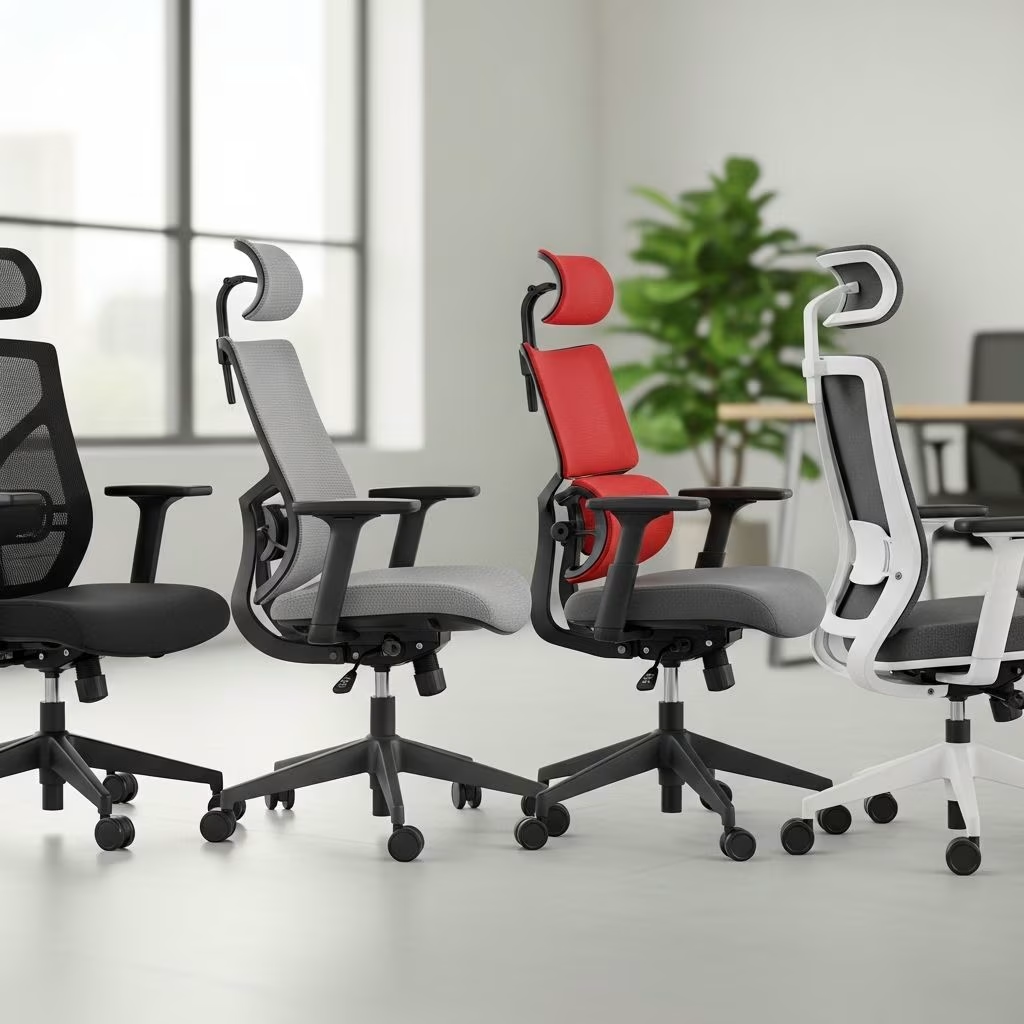
The Impact of Sitting on Back Pain
Back pain is one of the most common health complaints among office workers. In the United States, back pain is the leading cause of job-related disability, affecting more than one in four working adults and resulting in millions of lost workdays each year. Prolonged sitting in poorly designed chairs can significantly contribute to musculoskeletal issues, including chronic lower back pain, neck stiffness, and shoulder discomfort.
When you sit, especially for long hours, your lumbar spine—the lower part of your back—bears most of your body weight. Without proper support, the intervertebral discs can become compressed, leading to pain and even nerve irritation. Over time, poor posture exacerbated by inadequate seating can misalign the spine, weaken core muscles, and increase the risk of chronic pain and disability.
Why Ergonomic Chairs Matter
Ergonomic office chairs are specifically engineered to support the natural curvature of the spine and promote healthy posture. Unlike standard office chairs, ergonomic models offer a range of adjustable features—such as lumbar support, seat depth, armrests, and headrests—that can be tailored to the user’s body for optimal comfort and support.
Investing in a quality ergonomic chair can yield significant benefits for spinal health:
- Reduces pain and discomfort: Proper lumbar and sacrum support can alleviate lower back pain and prevent disc compression.
- Improves posture: Adjustable features help maintain a neutral spine position, reducing the risk of slouching or hunching.
- Enhances productivity: Comfortable seating minimizes distractions caused by pain, helping you stay focused and productive throughout the workday.
- Prevents long-term musculoskeletal issues: Ergonomic chairs reduce the risk of developing chronic conditions that can lead to disability.
Key Features of Ergonomic Office Chairs
When selecting an ergonomic chair for back pain relief, prioritize chairs with the following features:
Adjustable Lumbar Support
A chair with adjustable lumbar support—height and depth—can help maintain the spine’s natural S-curve, preventing disc compression and reducing muscle strain in the lower back. Look for models that allow for precise customization to fit your unique spine curvature.
Seat Depth and Height Adjustability
The seat should allow your feet to rest flat on the floor and your thighs to remain parallel to the ground. Adjustable seat depth ensures that there’s about one inch between the edge of the seat and the back of your knees, preventing pressure points and promoting circulation.
High Backrest with Recline and Headrest
A high backrest provides support for both the upper and lower back. Reclining features, ideally with a 15-degree tilt, help distribute body weight evenly and reduce spinal loading during long sitting periods. A headrest supports the base of the skull and encourages a neutral neck position, reducing neck and shoulder strain.
Multi-Directional Armrests
Adjustable armrests that can be positioned to keep your elbows at a 90-degree angle help prevent shoulder elevation and reduce tension in the neck and upper back. Armrests should also be width- and depth-adjustable for optimal support.
Durability and Weight Capacity
Look for chairs made with high-quality materials and built to support different body types. Some ergonomic chairs are designed as heavy-duty options with higher weight capacities (e.g., up to 300 lbs) for added comfort and longevity.
Top Ergonomic Office Chair Models for Back Pain
Here’s a comparison of some of the best ergonomic office chairs on the market, focusing on their features for back pain relief:
| Chair Model | Key Features | Price Range |
|---|---|---|
| Autonomous ErgoChair Pro | Adjustable lumbar support, seat depth (19–21.5 inches), height, and armrests; high backrest with headrest; reclines at a 2-to-1 ratio; weight capacity 300 lbs | Under $500 |
| Herman Miller Aeron | PostureFit SL lumbar support, adjustable tilt and tilt limiter, breathable mesh, adaptable to different sizes (A, B, and C) | $1,000+ |
| Steelcase Leap | LiveBack technology, dynamic lumbar support, adjustable armrests, seat depth, and height; flexible backrest moves with you | $1,000+ |
| UPLIFT V2 Comfort Office Chair | Adjustable lumbar support, headrest, seat depth, and height; reclining backrest; mesh or upholstered options | Mid-range |
While premium models like the Aeron and Leap are industry standards, budget-friendly options like the Autonomous ErgoChair Pro offer many of the same ergonomic benefits at a lower price point.
How to Choose the Right Ergonomic Chair
When shopping for an ergonomic office chair, consider the following steps:
- Assess your needs: Identify your specific pain points—lower back, neck, shoulders—and look for chairs that address those areas.
- Test adjustability: Ensure the chair offers comprehensive adjustability for lumbar support, seat depth, armrests, and height.
- Check material quality: Durable, breathable materials (e.g., mesh) can enhance comfort during long sitting sessions.
- Consider body type: Larger users should look for chairs with higher weight capacities and wider seats.
- Read reviews and expert recommendations: Look for feedback from both users and ergonomic experts to gauge real-world performance.
Tips for Setting Up Your Ergonomic Workstation
Even the best ergonomic chair won’t prevent back pain if your workstation isn’t set up correctly. Follow these guidelines for a holistic approach to spinal health:
- Adjust your chair height so your feet are flat on the floor and your knees are level with your hips.
- Ensure your computer monitor is at eye level to avoid neck strain.
- Position your keyboard and mouse so your elbows stay close to your body and form a 90-degree angle.
- Take regular breaks to stand, stretch, and move around—aim for at least a few minutes every hour.
- Incorporate ergonomic accessories, such as a footrest, monitor arm, or keyboard tray, as needed.
FAQs About Ergonomic Chairs and Back Pain
Q: Can an ergonomic chair completely eliminate back pain?
A: While ergonomic chairs can significantly reduce and prevent back pain, they are most effective when combined with good posture, regular movement, and a properly set up workstation.
Q: How much should I spend on an ergonomic chair?
A: Prices range from $200 to over $1,000. The best chair for you balances your budget with the features you need. Mid-range chairs ($300–$600) often provide excellent value and ergonomic benefits.
Q: What is the most important feature in an ergonomic chair for back pain?
A: Adjustable lumbar support is considered the most crucial feature, as it directly supports the lower back and maintains the spine’s natural curve.
Q: Can I use a standing desk instead of an ergonomic chair?
A: Alternating between sitting and standing is ideal. However, standing all day can cause other issues, so a combination of ergonomic seating and standing breaks is recommended.
Q: How often should I replace my office chair?
A: Replace your chair when it shows signs of wear, loses support, or no longer adjusts properly—usually every 5–10 years, depending on quality and usage.
Conclusion
Selecting the right ergonomic office chair is a critical step toward preventing and relieving back pain for desk workers. By focusing on adjustable lumbar support, seat depth and height, a high backrest with recline, and multi-directional armrests, you can significantly improve your comfort and spinal health. Whether you choose a high-end model or a more affordable option, the key is to prioritize features that support your body’s unique needs and maintain good posture throughout the workday. Investing in a quality ergonomic chair—and setting up your workstation correctly—can transform your work experience, boost productivity, and foster long-term well-being.
References
- https://www.upliftdesk.com/blog/office-chair-back-pain-relief/
- https://www.spinemd.com/resources/blog/office-chairs-to-prevent-back-pain/
- https://www.autonomous.ai/office-chairs/ergonomic-chair
- https://relaxtheback.com
- https://store.hermanmiller.com/office-chairs-ergonomic-chairs?lang=en_US
- https://www.scube-ergo.com/blog/lumbar-support-chairs-back-pain-relief
- https://www.spine-health.com/wellness/ergonomics/office-chair-choosing-right-ergonomic-office-chair


