


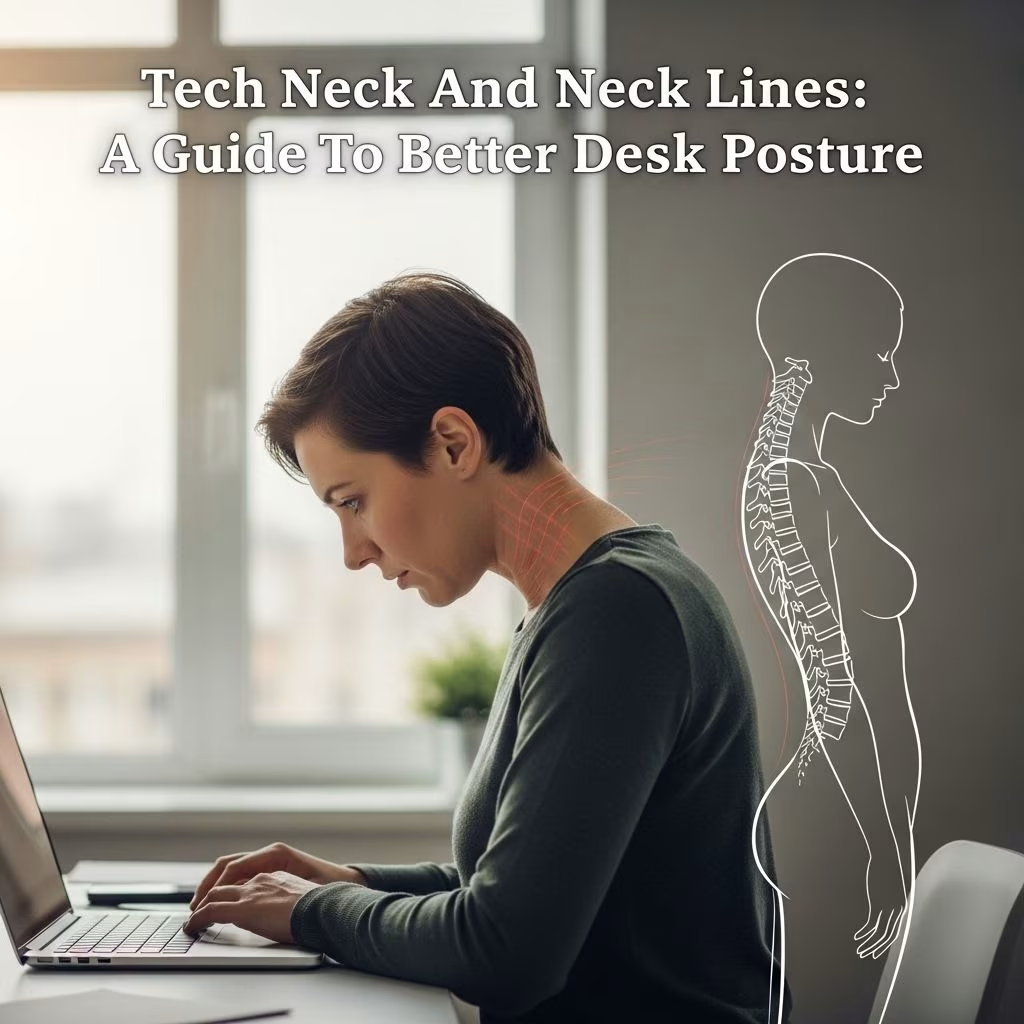
In today’s digital environment, hours spent in front of screens are the new normal. Yet, poor desk posture and device use contribute to a modern health crisis: tech neck and visible neck lines. This article explores the causes, risks, and science-backed strategies to prevent tech neck—and in turn, help reduce neck lines—by rethinking your workspace and daily routines.
Understanding Tech Neck and Neck Lines
Tech neck refers to the chronic neck and shoulder strain caused by prolonged forward head posture during device use. It can lead to pain, stiffness, and visible postural changes. Simultaneously, repetitive bending and skin compression contribute to the formation of horizontal neck lines—creasing of the skin from frequent flexion, which can become permanent over time.
While ‘tech neck’ is a new phenomenon, the habits that cause it are now part of daily life for millions:
- Long hours at a computer desk
- Looking down at phones or tablets
- Sitting or slouching for extended periods
Understanding the mechanics of tech neck is the first step toward prevention and reversal.
Primary Causes of Tech Neck & Neck Lines
Multiple factors contribute to the development of tech neck and neck lines, including:
- Forward Head Tilt: The more you tilt your head downward, the greater the force exerted on your cervical spine. A typical adult head weighs 10–12 pounds upright, but when tilted forward at 60 degrees, it can exert up to 60 pounds of force on your neck.
- Poor Desk Ergonomics: Slouching, using screens placed below eye level, and unsupportive chairs lead to poor posture, rounding of shoulders, and forward head position.
- Lack of Movement: Remaining in the same position for hours reduces flexibility, causes muscle fatigue, and increases risk of chronic pain.
- Cradling Devices: Propping a phone between the shoulder and ear, or holding a device too low, reinforces bad alignment.
- Repetitive Flexion: Frequent bending of the neck accelerates skin creasing and deepens neck lines over time.
Health Risks of Poor Desk Posture
Neglecting proper ergonomics and desk posture can have lasting consequences beyond discomfort, including:
- Chronic Neck, Back, and Shoulder Pain: Tech neck is strongly associated with lasting muscle strain, tension headaches, and impaired mobility.
- Postural Changes: Ongoing slouching leads to rounded shoulders, a forward-jutting chin, and in severe cases, changes in the curve of the spine.
- Skin Aging: Constant skin folding at the neck leads to horizontal lines and early wrinkling.
- Nerve Compression: Severe or prolonged cases can cause numbness or tingling due to nerve pressure between vertebrae.
Prompt attention can help reverse early symptoms and prevent long-term injury.
Desk Ergonomics: Setting Up for Success
A well-designed workstation is the foundation for healthy posture and prevention of tech neck. Consider the following ergonomic adjustments:
- Screen Height: Raise your computer monitor or laptop so that the top third of the screen is at eye level. Use a monitor riser, external keyboard, or stack books if necessary.
- Viewing Distance: Keep screens at arm’s length to prevent the need to lean forward or squint.
- Chair Support: Use a chair with lumbar and upper back support. Ideally, the chair should recline slightly (25–30 degrees) with good lumbar support.
- Head and Neck Alignment: If your chair has a headrest, keep the back of your head against it. If not, use a small pillow or rolled towel behind your back for extra support.
- Feet Placement: Keep your feet flat on the floor. Avoid crossing legs, which can throw your spine out of alignment.
- Arm Support: Elbows should rest comfortably at your sides or on armrests to prevent shoulder strain.
- Standing Desks: Consider using an adjustable standing desk to periodically change position and reduce static sitting.
Checklist: Ergonomic Workstation Setup
- Monitor top at or slightly below eye level
- Screen approximately 20–30 inches from face
- Keyboard and mouse in line with elbows
- Back supported, shoulders relaxed, head upright
Daily Habits to Prevent Tech Neck
- Hold Devices Higher: When texting or browsing, bring your phone or tablet up to eye level, instead of lowering your head.
- Take Regular Breaks: Every 30–60 minutes, take a movement or stretch break. Set calendar or phone reminders so you don’t forget.
- Practice Good Sitting Posture: Keep your chin slightly tucked, shoulders back, and ears in line with your shoulders. Avoid slouching or sitting with rounded upper back.
- Use Voice Commands: Consider using voice assistants to limit the time you spend looking down at screens.
- Move Often: Stand up, change position, or walk every hour to reset your posture and relieve muscle tension.
- Monitor Symptoms: Address early signs—such as neck stiffness, upper back pain, or headaches—immediately with posture correction, exercises, or by seeking professional help.
Exercises & Movements to Reduce Tension
Specific exercises can counteract the effects of tech neck by strengthening postural muscles and increasing flexibility :
- Chin Tucks: Gently pull your chin straight back to create a ‘double chin,’ keeping your neck muscles engaged. Hold for 5 seconds, repeat several times.
- Shoulder Blade Squeezes: Pull your shoulder blades together and hold for a few seconds to counteract rounding of the shoulders.
- Standing Microbreak:
- Stand upright, fingers wide, palms up, rotate arms outward.
- Slide shoulder blades down and away from your ears.
- Gently tuck chin and align your head over your torso.
Hold for 2–5 seconds. Repeat 2–3 times, 4–5 times a day.
- Cervicothoracic Mobilization:
- Sit or stand with hands resting behind your neck or upper back.
- Open elbows wide and squeeze shoulder blades together; hold, then relax.
- Repeat 10 times, 2–3 times per day.
- Neck and Shoulder Stretches: Gentle side bends (ear to shoulder), looking side-to-side, and upper trapezius stretches.
Incorporate these exercises and stretches regularly for best results. Consistency can help mitigate stiffness and prevent chronic strain .
How Neck Care Prevents Neck Lines
Weak postural muscles and repetitive flexion cause not only pain, but also impact skin appearance. Here’s how healthy posture helps prevent neck lines:
- Reduces Repetitive Skin Compression: Maintaining a neutral head position minimizes the folding and creasing linked to early wrinkling.
- Improves Blood Flow: Movement improves circulation, supporting skin health and natural collagen production.
- Delays Aging: Reducing unnecessary skin stress and practicing gentle upward neck massages, in combination with good posture, can contribute to smoother skin over time.
- Prevents Permanent Creases: Stopping unhealthy habits before neck lines deepen makes reversal easier.
Skincare Support for Neck Health
While posture is primary, complementary skincare (such as moisturizers, sunscreens, and retinoid creams) can support firmer, hydrated skin and may slow the deepening of neck lines. However, no topical treatment replaces the benefits of excellent posture and movement habits.
Quick Reference: Summary Table of Prevention Tips
| Area | Key Strategies | Benefit |
|---|---|---|
| Workstation Setup | Raise screens to eye level; ergonomic chair; feet flat; screen at arm’s length | Aligns head and spine, reduces muscle strain |
| Device Use | Hold phone/tablet higher; avoid cradling devices; voice commands | Prevents excessive neck flexion |
| Movement & Breaks | Take breaks every 30–60 mins; do stretches; posture checks | Relieves tension, resets alignment |
| Exercises | Chin tucks; shoulder blade squeezes; standing microbreak | Strengthens postural muscles |
| Skin & Neck Care | Hydration; sun protection; upward massaging | Supports skin resilience, reduces lines |
Frequently Asked Questions (FAQs)
Q: What is tech neck?
A: Tech neck is pain, soreness, and sometimes even permanent postural changes caused by prolonged periods of poor neck alignment when using smartphones, computers, or tablets .
Q: Can neck lines caused by poor posture be reversed?
A: Early neck lines may soften with consistent improvement in posture, exercises, hydration, and skincare. Deep lines can be improved but may not be fully reversible without cosmetic procedures.
Q: How often should I exercise to prevent tech neck?
A: Aim for brief movement or posture checks every 30–60 minutes during work hours, with targeted neck and back stretching 2–3 times per day .
Q: Are standing desks effective in preventing tech neck?
A: Yes. Adjustable standing desks promote regular position changes, which can reduce the risk of tech neck by avoiding prolonged static postures .
Q: When should I see a doctor for tech neck pain?
A: Seek medical advice if you experience severe or persistent neck pain, numbness, tingling in the arms, or headaches that do not improve with posture changes and exercises .
References
- Northeast Spine & Sports Medicine: 11 Tips for Getting Rid of Tech Neck
- David A. Wiles, MD: 5 Ways to Prevent Tech Neck
- UT Health Austin: Slouch Less, Feel Better—Understanding Tech Neck
- Health Matters: How to Prevent and Fix ‘Tech Neck’
- Mayo Clinic Health System: Effect of Technology on Your Neck
- Mayo Clinic: Office Ergonomics Guide
- Healthline: Tech Neck and Your Spine
References
- https://www.northeastspineandsports.com/blog/11-tips-for-getting-rid-of-tech-neck-northeast-spine-and-sports-medicine/
- https://www.davidwilesmd.com/post/5-ways-to-prevent-tech-neck
- https://uthealthaustin.org/blog/slouch-less-feel-better-understanding-tech-neck
- https://www.jeffersonhealth.org/your-health/living-well/how-to-prevent-tech-neck-and-promote-better-posture
- https://healthmatters.nyp.org/how-to-prevent-tech-neck/
- https://www.mayoclinichealthsystem.org/hometown-health/speaking-of-health/effect-of-technology-on-your-neck
- https://www.mayoclinic.org/healthy-lifestyle/adult-health/in-depth/office-ergonomics/art-20046169
- https://www.healthline.com/health/tech-neck


