


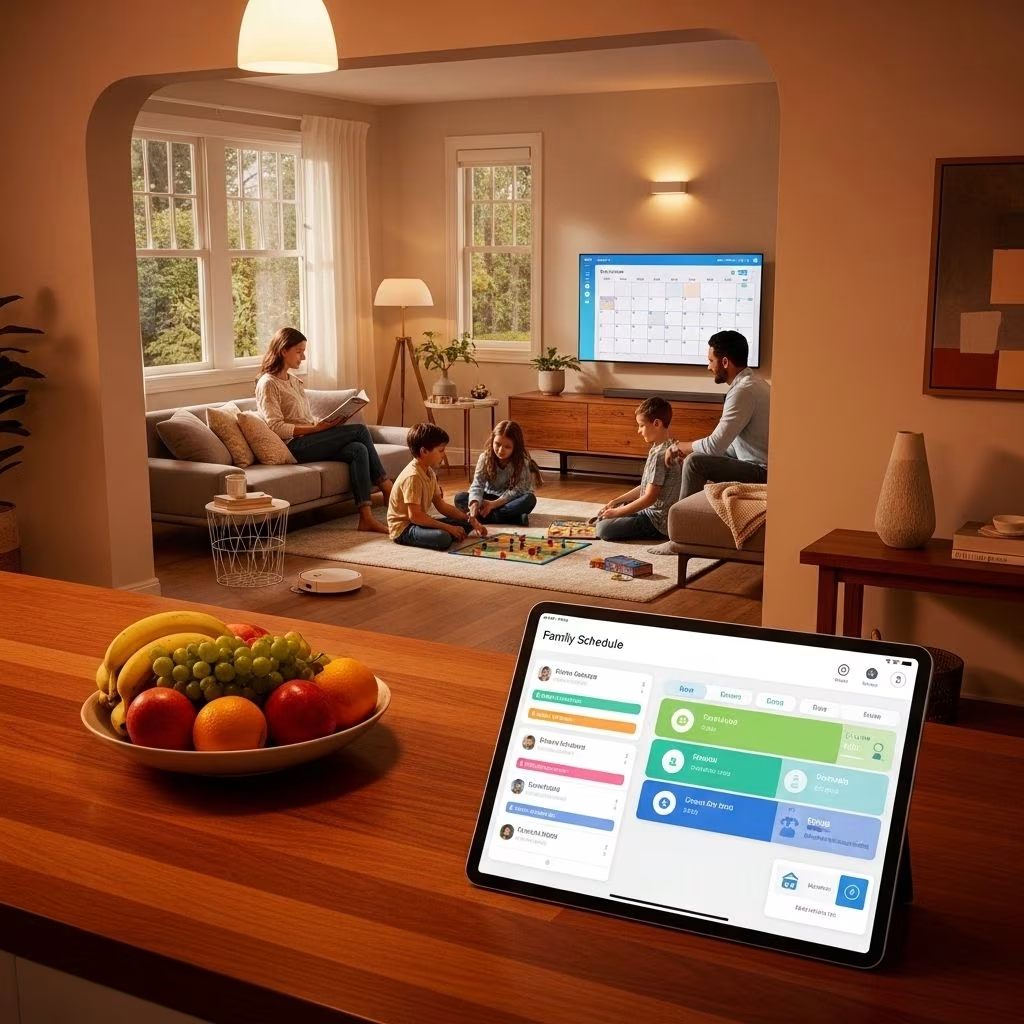
Modern families juggle countless responsibilities daily—school activities, work meetings, appointments, extracurricular events, and household tasks. The complexity of coordinating multiple schedules can quickly become overwhelming. Smart home technology offers an innovative solution by automating family schedule management, creating a centralized system that keeps everyone connected and organized.
Smart home automation for family scheduling transforms how households manage their time and responsibilities. By integrating digital calendars, voice assistants, automated reminders, and connected devices, families can streamline their daily routines and reduce the stress of forgotten appointments or missed commitments.
Understanding Smart Home Schedule Automation
Smart home schedule automation represents the convergence of digital calendar systems, home automation technology, and artificial intelligence to create a comprehensive family management solution. Unlike traditional paper calendars or basic digital apps, smart home scheduling systems integrate directly with your home’s connected devices, creating automated responses based on your family’s schedule.
These systems work by connecting various smart devices throughout your home—from lighting and thermostats to security systems and entertainment centers—to a central scheduling platform. When events are added to the family calendar, the system can automatically trigger appropriate actions, such as adjusting temperature settings before everyone arrives home or turning on lights for early morning activities.
Essential Components of Smart Home Family Scheduling
Digital Calendar Displays
The centerpiece of any smart home scheduling system is a visible, accessible digital calendar display. These displays come in various formats, from dedicated smart calendar devices to repurposed tablets or touchscreen monitors mounted in high-traffic areas like kitchens, mudrooms, or family rooms. The display serves as the family’s command center, showing upcoming events, appointments, tasks, and reminders at a glance.
Modern smart calendar displays offer touchscreen functionality, allowing family members to interact directly with the schedule. You can add events, modify existing appointments, check details, and even filter the view to show individual family member schedules or household-wide activities. Many systems support HDTV-sized projections, transforming any wall into a comprehensive family schedule board.
Voice Assistant Integration
Voice assistants like Amazon Alexa, Google Assistant, or Apple Siri serve as the verbal interface for smart home scheduling. Instead of manually typing events into a calendar app, family members can simply speak commands: “Add soccer practice to the calendar for Thursday at 4 PM” or “Remind me to pick up groceries tomorrow afternoon.” This hands-free convenience makes schedule management accessible even when you’re busy cooking, cleaning, or helping children with homework.
Voice integration extends beyond simple calendar entries. You can ask your smart home system about upcoming events, check availability for specific dates, or receive verbal reminders about approaching appointments. The system can announce schedule updates through smart speakers throughout the house, ensuring everyone stays informed.
Multi-Device Synchronization
A truly effective smart home scheduling system synchronizes seamlessly across all family devices. Whether using Android smartphones, iPhones, tablets, or computers, every family member should have access to the shared calendar. Cloud-based synchronization ensures that changes made on one device instantly appear on all others, eliminating confusion about schedule updates.
This synchronization capability supports integration with popular calendar platforms including Google Calendar, Apple Calendar, Microsoft 365, and Outlook. Families can maintain their preferred individual calendar apps while still contributing to and viewing the shared family schedule. Two-way syncing means events added to personal calendars can automatically appear on the family calendar and vice versa.
Smart Home Device Integration
The power of smart home scheduling extends beyond calendar visibility to automated home responses. Connected devices throughout your house can react to scheduled events, creating a truly automated living environment. Smart thermostats adjust temperature settings based on when family members will be home or away. Smart lighting systems can turn on lights before early morning departures or create welcoming illumination when the schedule shows everyone arriving home.
Security systems integrate with family schedules to provide enhanced protection. Smart locks can automatically secure the home when everyone’s calendar indicates they’ve left for the day, while security cameras provide peace of mind with real-time monitoring accessible from anywhere. Motion detectors can send alerts if unexpected activity occurs during scheduled away times.
Key Features of Smart Family Scheduling Systems
Personalized User Profiles
Each family member can have their own customized profile within the smart home scheduling system. These profiles support individual preferences for notification styles, display colors, and privacy settings. Parents might see the entire family schedule, while children view only their own activities and age-appropriate household responsibilities.
Personalization extends to automation preferences as well. Individual family members can set their preferred room temperatures, lighting preferences, and entertainment choices, which the system automatically implements based on who’s home and their scheduled activities.
Automated Reminders and Notifications
Smart scheduling systems eliminate forgotten appointments through automated reminders delivered via multiple channels. Push notifications appear on smartphones and tablets, voice announcements play through smart speakers, and visual alerts display on calendar screens. Families can customize reminder timing—receiving notifications hours or days before events, with additional reminders as appointments approach.
The system can send different types of reminders to different family members. For example, children might receive reminders about homework deadlines or chore responsibilities, while parents get alerts about school pickup times or bill payment due dates.
Task and Chore Management
Beyond scheduling events, smart home systems can manage household tasks and chores. Assign specific responsibilities to family members, set recurring schedules for regular tasks, and track completion. Children can check off completed chores directly on the touchscreen display, earning rewards or privileges based on task completion rates.
Integration with smart home devices can even verify task completion. For instance, if taking out the trash is a scheduled chore, sensors on smart garbage cans could confirm the task was completed, or motion sensors could detect movement in relevant areas during designated chore times.
Shopping and To-Do Lists
Integrated shopping and to-do lists connect directly with your family schedule. Add items to the grocery list via voice command while cooking, and the list automatically appears on family members’ smartphones when they’re near the store. Schedule-aware lists can suggest optimal shopping times based on family availability and route efficiency.
Some advanced systems integrate with smart refrigerators that track food inventory and automatically add items to shopping lists when supplies run low. Barcode scanning capabilities allow quick list additions, while voice commands provide hands-free list management during busy household activities.
Popular Smart Home Scheduling Solutions
Comparison of Leading Platforms
| Platform | Key Strengths | Best For | Price Range |
|---|---|---|---|
| DAKboard | Digital photo frame integration, extensive customization, smart TV compatibility | Families wanting aesthetic displays with calendar functionality | $150-$300 |
| Skylight Calendar | User-friendly interface, touchscreen interaction, magnetic mounting | Tech-comfortable families seeking plug-and-play solutions | $300+ |
| Home Assistant DIY | Complete customization, no recurring fees, extensive smart home integration | Tech-savvy families comfortable with DIY setup | $100-200 (hardware only) |
| Control4 | Professional installation, comprehensive automation, scene creation | Families seeking premium, professionally managed systems | $1,000+ (installed) |
DIY Versus Commercial Solutions
Families face an important decision between commercial smart calendar products and DIY implementations using platforms like Home Assistant. Commercial solutions offer streamlined setup, professional support, and polished user interfaces designed for non-technical users. These products typically arrive ready to use with minimal configuration required.
DIY approaches provide greater flexibility, customization, and cost savings but require technical knowledge and time investment. Using repurposed hardware like old tablets or mini PCs with open-source software eliminates recurring subscription fees and vendor lock-in risks. However, families must handle troubleshooting and maintenance themselves.
The choice depends on your family’s technical comfort level, budget, and customization needs. Families preferring hassle-free solutions benefit from commercial products, while those enjoying technology projects and wanting maximum control thrive with DIY implementations.
Implementation Strategies for Family Schedule Automation
Choosing the Right Location
Strategic placement of your smart calendar display maximizes family engagement. High-traffic areas like kitchens, mudrooms, or main hallways ensure regular visibility. The display should be easily accessible for touchscreen interaction while positioned to avoid direct sunlight that could impair visibility or damage the screen.
Consider mounting height carefully—the display should be viewable by all family members, including children. Countertop placements offer flexibility for moving the device, while wall-mounted installations provide permanent, space-saving solutions.
Setting Up Family Routines
Successful smart home scheduling requires establishing consistent family routines around the system. Designate regular times for reviewing the family calendar together, such as during Sunday evening family meetings or weekday breakfast gatherings. Encourage all family members to add their activities and commitments promptly, creating a culture of shared responsibility for schedule maintenance.
Create automated routines that respond to common family scenarios. Morning routines might include automated wake-up lighting, temperature adjustments, and verbal schedule announcements for the day ahead. Evening routines could involve securing the home, adjusting lighting for bedtime, and displaying tomorrow’s schedule.
Privacy and Access Management
Establish clear privacy guidelines for your family calendar system. Determine which events should be visible to all family members versus private appointments. Most smart calendar platforms support event privacy settings, allowing certain activities to appear only to specific individuals.
For families with older children, consider graduated access levels. Teenagers might appreciate some scheduling autonomy while still participating in family coordination. Younger children benefit from simplified views showing only their relevant activities without overwhelming detail.
Advanced Automation Capabilities
Location-Based Triggers
Modern smart home systems can use smartphone location tracking to trigger automated responses. When your phone’s GPS indicates you’re leaving work at the scheduled time, your home can automatically adjust the thermostat, unlock doors, and turn on lights. If someone’s running late based on their location, the system can send notifications to other family members and adjust automated routines accordingly.
Geofencing technology creates virtual boundaries around important locations like home, school, or work. When family members cross these boundaries, the system can send notifications, update arrival times, or trigger home automation sequences.
Predictive Scheduling
Artificial intelligence enables smart scheduling systems to learn family patterns and make predictive suggestions. If soccer practice occurs every Tuesday and Thursday at 4 PM, the system can automatically add these recurring events or suggest adding them. When scheduling new appointments, the AI can recommend optimal times based on existing commitments, travel time, and family preferences.
Machine learning algorithms analyze historical data to optimize home automation responses. If the family typically arrives home fifteen minutes earlier on Wednesdays, the system adjusts automated welcome routines accordingly.
Integration with School and Work Systems
Many school districts and employers offer calendar integration, allowing automated import of school schedules, assignment due dates, and work meetings directly into your family calendar. This eliminates manual entry while ensuring nothing gets overlooked.
Some systems can even integrate with school lunch menus, transportation schedules, and extracurricular activity calendars, providing comprehensive visibility into children’s daily routines. Work calendar integration helps families coordinate around business meetings, travel schedules, and important deadlines.
Benefits of Smart Home Family Scheduling
Reduced Family Stress
Automated schedule management dramatically reduces the mental burden of coordinating family activities. Instead of remembering countless appointments and commitments, families rely on their smart home system to provide timely reminders and maintain accurate schedules. This reduction in cognitive load translates to less stress and more mental energy for enjoying family time.
The visibility provided by central calendar displays prevents scheduling conflicts before they occur. When everyone can see the family’s commitments at a glance, double-booking becomes rare and coordination improves naturally.
Improved Time Management
Smart scheduling systems help families use time more efficiently. Automated reminders prevent last-minute rushes to appointments, while location-based notifications ensure timely departures. Integration with navigation systems can even suggest departure times based on real-time traffic conditions.
Task and chore automation ensures household responsibilities don’t fall through the cracks. When cleaning schedules, maintenance reminders, and routine tasks appear on the family calendar with automated notifications, homes run more smoothly with less oversight required.
Enhanced Communication
Shared calendar visibility improves family communication by creating a single source of truth for schedules and commitments. Family members can independently check the schedule rather than repeatedly asking about plans, reducing nagging and repetitive conversations.
The system facilitates proactive communication about schedule changes. When someone modifies an event or adds a new commitment, automated notifications alert relevant family members immediately, ensuring everyone stays informed.
Energy and Cost Savings
Smart home automation triggered by family schedules generates significant energy savings. Thermostats that adjust based on occupancy prevent heating or cooling empty homes. Automated lighting systems ensure lights aren’t left on unnecessarily. These efficiencies reduce utility bills while supporting environmental sustainability.
Schedule-aware automation also prevents waste in other areas. Smart appliances can run during off-peak electricity hours based on family schedules, reducing energy costs. Shopping list integration helps prevent food waste by ensuring groceries are purchased before running out while avoiding overbuying.
Security and Privacy Considerations
While smart home scheduling offers tremendous benefits, families must address security and privacy concerns. Schedule data reveals detailed information about when your home is occupied or empty, making secure systems essential. Choose platforms that employ strong encryption for data transmission and storage, and enable two-factor authentication wherever possible.
Be cautious about sharing calendar information publicly or with third-party services. Review privacy policies carefully to understand how calendar data is used, stored, and potentially shared. Consider whether cloud-based systems or local-only storage better matches your privacy preferences.
Teach children appropriate privacy practices around family scheduling. Discuss which information is safe to share with friends versus what should remain private. Establish guidelines about posting schedule information on social media that could inadvertently reveal when your home will be unoccupied.
Overcoming Common Challenges
Adoption Resistance
Some family members may resist adopting new scheduling technology, preferring traditional methods like paper calendars or separate individual apps. Address this resistance through patient education about the benefits, hands-on training sessions, and gradual implementation. Start with basic features before introducing advanced automation, allowing family members to build comfort and confidence.
Emphasize how the system makes life easier rather than more complicated. Demonstrate time savings, reduced stress, and improved coordination through practical examples relevant to each family member’s daily routine.
Technical Issues
Technology sometimes fails—internet connections drop, devices malfunction, or software updates cause unexpected problems. Maintain backup systems for critical scheduling information, such as syncing calendars to multiple devices or keeping important dates in traditional formats. Choose reliable platforms with good customer support, and learn basic troubleshooting for common issues.
For DIY implementations, join online communities and forums where experienced users share solutions to technical challenges. Building relationships with other smart home enthusiasts provides valuable troubleshooting resources and implementation advice.
Over-Scheduling
The ease of adding events to smart calendars can paradoxically lead to over-scheduling. The visibility of every commitment might reveal that your family’s schedule is unsustainably busy. Use this awareness positively by intentionally scheduling downtime, family relaxation, and unstructured activities. Some families implement rules like “no more than X activities per week” or designate specific days as activity-free.
Smart scheduling systems can help manage this challenge by color-coding different types of activities and providing weekly or monthly overview displays that make over-scheduling visually apparent before it becomes overwhelming.
Future Trends in Smart Home Family Scheduling
The evolution of smart home technology continues rapidly, with exciting developments on the horizon for family scheduling automation. Artificial intelligence will become increasingly sophisticated in understanding family patterns and making helpful suggestions. Systems might proactively identify schedule conflicts, suggest optimal times for family activities, or recommend efficiency improvements.
Augmented reality integration could allow family members to view schedule information overlaid on their physical environment through smart glasses or smartphone cameras. Imagine looking at your front door and seeing a holographic display of today’s schedule, or glancing at the refrigerator and viewing the weekly meal plan integrated with grocery shopping lists.
Improved natural language processing will make voice interactions more conversational and intuitive. Rather than memorizing specific commands, family members will communicate naturally with their smart home systems, which will understand context and intent more accurately.
Integration with transportation systems will become more seamless, with smart home schedules automatically coordinating with ride-sharing services, public transportation, and autonomous vehicles. Your home might automatically schedule a ride when your calendar indicates an upcoming appointment, ensuring timely arrival without manual coordination.
Frequently Asked Questions
Q: How much does it cost to set up a smart home family scheduling system?
A: Costs vary significantly based on your approach. DIY solutions using repurposed hardware and free software can cost as little as $100-200 for a touchscreen monitor. Mid-range commercial smart calendar products typically cost $200-400. Premium professionally installed systems with comprehensive home automation integration can exceed $1,000. Consider ongoing costs like subscription fees for cloud-based services when budgeting.
Q: Can smart home scheduling systems work without internet connectivity?
A: Most smart scheduling systems require internet connectivity for full functionality, including cloud synchronization, voice assistant integration, and remote access. However, many systems offer limited offline functionality, allowing you to view existing calendar information and control local smart home devices. Some platforms provide local-only operation modes, though this eliminates cloud-based features.
Q: How do I get my family to actually use the smart calendar system?
A: Successful adoption requires making the system easy and beneficial for everyone. Place displays in high-visibility locations, provide hands-on training for all family members, and start with simple features before introducing complexity. Establish family routines around reviewing the calendar together, and demonstrate clear benefits like reduced nagging, fewer missed activities, and better coordination. Consider implementing reward systems for children who consistently use the system.
Q: Are smart home scheduling systems secure from hackers?
A: Security depends on the platform you choose and how you configure it. Reputable systems employ encryption, secure authentication, and regular security updates. Strengthen security by using strong unique passwords, enabling two-factor authentication, keeping software updated, and securing your home network with a strong Wi-Fi password. Be cautious about what information you share publicly and review privacy settings regularly.
Q: Can I integrate multiple calendar platforms into one family system?
A: Yes, most smart home scheduling solutions support integration with multiple calendar platforms including Google Calendar, Apple Calendar, Microsoft 365, and Outlook. This allows family members to maintain their preferred personal calendar apps while still contributing to and viewing the shared family schedule. Two-way synchronization ensures changes made in any connected calendar appear across all platforms.
Q: What happens to my calendar data if the company discontinues the product?
A: This vendor lock-in risk is a valid concern with commercial products. Choose platforms that allow calendar data export in standard formats and support integration with widely-used calendar services. DIY solutions using open-source software eliminate this risk entirely since you control the data and platform. Before investing in a commercial system, research the company’s financial stability and long-term commitment to product support.
Q: How does smart scheduling handle last-minute changes and emergencies?
A: Smart scheduling systems excel at managing changes through instant synchronization and automated notifications. When someone modifies an event or adds an urgent appointment, all family members receive immediate notifications on their devices. Location-based features can alert family members about schedule changes based on their current position, helping coordinate responses to unexpected situations. Voice commands allow quick schedule updates even during busy or stressful moments.
References
- https://evolvedallas.com/learning-center/blog/stay-organized-and-connected-starting-on-jan-1-with-smart-home-calendars
- https://asinw.com/2024/09/family-life-with-smart-home-automation/
- https://community.home-assistant.io/t/diy-family-calendar-skylight/844830
- https://www.control4.com
- https://www.brilliant.tech/pages/smart-home-control
- https://www.usemotion.com/blog/best-shared-calendar-app-for-families.html


